Installation
Download
Download the latest release as a ZIP file from the releases page and extract it:
https://github.com/BlancoByte/CDC-Console
cd blancobyte-cdc
First-time setup
Build the Docker images and start all services:
docker-compose build --no-cache
docker-compose up -d
This starts the following containers:
| Container | Service | Port |
|---|---|---|
| bb-postgres | PostgreSQL 16 (demo source) | 5432 |
| bb-mysql | MySQL 8.0 (demo source) | 3306 |
| bb-mariadb | MariaDB 11.2 (demo source) | 3307 |
| bb-zookeeper | Apache ZooKeeper | — |
| bb-kafka | Apache Kafka | 9093 |
| bb-schema-registry | Confluent Schema Registry | 8081 |
| bb-debezium | Debezium Connect 2.6 | 8083 |
| bb-clickhouse | ClickHouse 24 | 8123, 9000 |
| bb-sink | BlancoByte Sink API | 8080 |
| bb-ui | React UI (nginx) | 3000 |
Startup takes approximately 45–60 seconds for all health checks to pass.
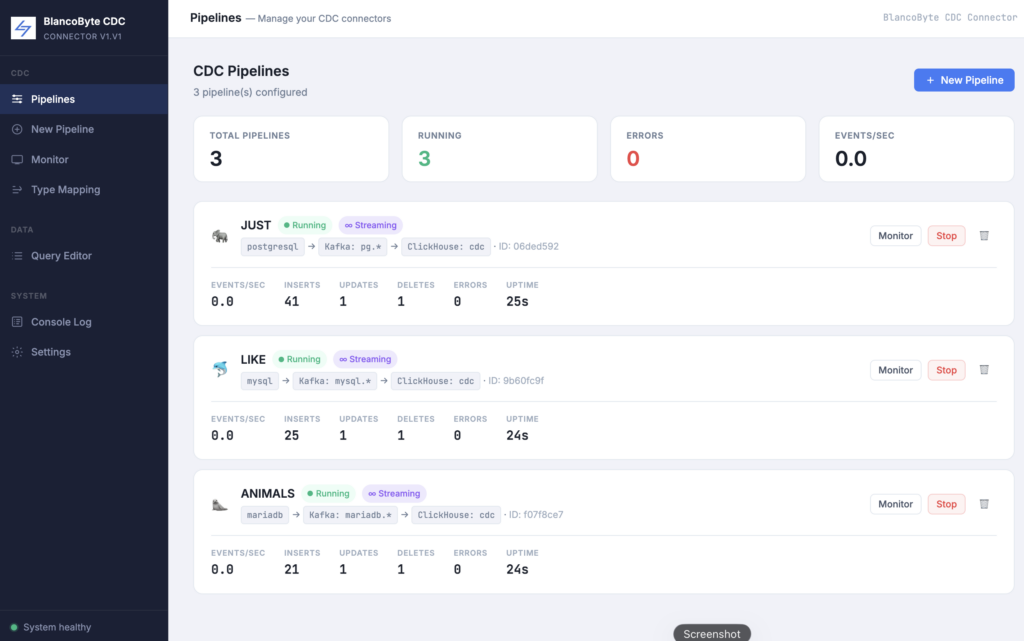
Access the UI
Open your browser and navigate to http://localhost:3000. No login required.
Service credentials
All services use the same credentials out of the box — no configuration needed.
PostgreSQL
- Host:
localhost· Port:5432 - Database:
sourcedb - Username:
bbuser· Password:bbpass
MySQL
- Host:
localhost· Port:3306 - Database:
sourcedb - Username:
bbuser· Password:bbpass
MariaDB
- Host:
localhost· Port:3307 - Database:
sourcedb - Username:
bbuser· Password:bbpass
ClickHouse
- HTTP:
http://localhost:8123 - Native (TCP):
localhost:9000 - Database:
cdc - Username:
bbuser· Password:bbpass
Debezium Connect REST API
http://localhost:8083— no authentication
BlancoByte Sink API
http://localhost:8080— no authentication- Swagger docs:
http://localhost:8080/docs
Verify the installation
Check that all containers are running and healthy:
docker-compose ps
All containers should show healthy status. If a container shows starting, wait a few more seconds and run the command again.