Private DBaaS vs Managed Cloud Databases: A Cost and Control Comparison
For most of the last decade, the default answer to "where should our databases run?" has been "on the cloud provider's managed service." RDS, Cloud SQL, Azure Database, Atlas. Click a button, get a highly available PostgreSQL cluster with backups, patching and monitoring. Nobody gets paged at 3 a.m. because a disk filled up.
That default is now being questioned, for two reasons:
- The bill. Database spend grows with the business, but the managed-service premium grows with it. At some point a CFO asks why the database line is bigger than the application compute line.
- Control. Data residency rules, regulated industries, multi-cloud strategies and plain "we want to choose our own PostgreSQL extensions" all push against the walls of a managed service.
The alternative isn't going back to hand-built servers and SSH. It's private DBaaS: the same self-service, automated experience as a managed database, running on infrastructure you control.
This post compares the two honestly. It's not a "managed databases are a rip-off" post. Managed services are a great deal for a lot of teams. The goal is to show where the costs really come from, what control you actually give up, and the point at which a private platform starts to make sense.
Disclosure: At BlancoByte we help companies design, run and support database platforms of both kinds. We're also a partner of Solanica and provide support for OpenEverest, an open source private DBaaS platform. We'll talk about it at the end, and we've tried to keep everything before that vendor-neutral.
At a glance
| Managed cloud database | Private DBaaS | |
|---|---|---|
| Examples | Amazon RDS / Aurora, Google Cloud SQL / AlloyDB, Azure Database, MongoDB Atlas | OpenEverest, KubeBlocks, KubeDB, StackGres, in-house platforms on Kubernetes |
| Who runs the platform | The cloud provider | You (or a partner) |
| Where it runs | The provider's cloud, in their accounts or yours | Any Kubernetes cluster: public cloud, private cloud, on-prem, edge |
| Pricing model | Per instance-hour + storage + I/O + backups + data transfer, with a markup over raw compute | Raw infrastructure + people + optional support subscription |
| Time to first database | Minutes | Minutes, once the platform is installed |
| Engine versions and extensions | What the provider offers | Whatever you choose to run |
| Superuser / OS access | No (or limited) | Yes |
| Data residency | Limited to the provider's regions | Anywhere you have infrastructure |
| Portability | Tied to one provider's APIs | Same platform on every cloud and on-prem |
| Operational burden | Low | Medium: you own the platform, not each database |
| Sweet spot | Small to mid fleets, teams without database/Kubernetes skills, spiky workloads | Large fleets, steady workloads, regulated data, multi-cloud or hybrid strategies |
1. What "managed" actually buys you
Before talking about cost, it's worth being precise about what a managed database service does, because that's the work a private DBaaS has to replace.
A managed service gives you:
- Provisioning: an API and a console to create a database with a few parameters.
- High availability: a standby in another zone and automated failover.
- Backups and point-in-time recovery: automated, with a retention window.
- Patching: minor version updates and OS patches, in a maintenance window.
- Monitoring: basic metrics and logs, usually with an add-on for deeper insight.
- Scaling: change the instance class, grow the disk, add read replicas.
What it doesn't give you, and what many teams forget when they compare costs:
- Query tuning, schema design and indexing. A slow query is just as slow on RDS.
- Capacity planning. You still have to choose instance sizes, and you pay for the ones you over-provision.
- Major version upgrades. You still plan, test and execute them. If you wait too long, you pay for it (see section 3).
- Application-level incidents. Lock contention, connection storms and runaway migrations are still your problem.
So "managed" removes the infrastructure work around a database, not the database work. That distinction matters a lot when you estimate how many people a private platform needs.
2. Where the money goes
The managed-service bill
A managed database bill has several components, and the instance price is only the most visible one:
| Line item | How it's billed | Easy to forget? |
|---|---|---|
| Compute | Per instance-hour. Multi-AZ doubles it, because the standby is billed too. | No |
| Storage | Per GB-month, often doubled for Multi-AZ | Somewhat |
| Provisioned IOPS / throughput | Per IOPS or MB/s above the baseline | Yes |
| Backup storage | Free up to the database size, then per GB-month | Yes |
| Data transfer | Cross-AZ and internet egress per GB | Yes, until the first big bill |
| Read replicas | Each one is a full instance | No |
| Extended support | Per vCPU-hour, for engine versions past community end-of-life | Very |
| Enhanced monitoring / insights | Add-on pricing | Somewhat |
AWS bills Multi-AZ RDS compute per instance-hour for both the primary and the standby, so a highly available cluster costs at least twice the single-instance price before you add a single read replica.
The bigger question is the premium over raw compute. Take a memory-optimized 4 vCPU / 32 GiB instance, a very common size for production PostgreSQL:
| Option (us-east-1, on-demand, monthly) | Approx. price |
|---|---|
RDS for PostgreSQL db.r6g.xlarge, Single-AZ | ~$329 |
RDS for PostgreSQL db.r6g.xlarge, Multi-AZ (primary + standby) | ~$658 |
EC2 r6g.xlarge (same hardware, no database service) | ~$147 |
Sources: RDS pricing via AWS and Bytebase's RDS price tracker; EC2 price approximate. Prices change and vary by region, so always check the AWS Pricing Calculator.
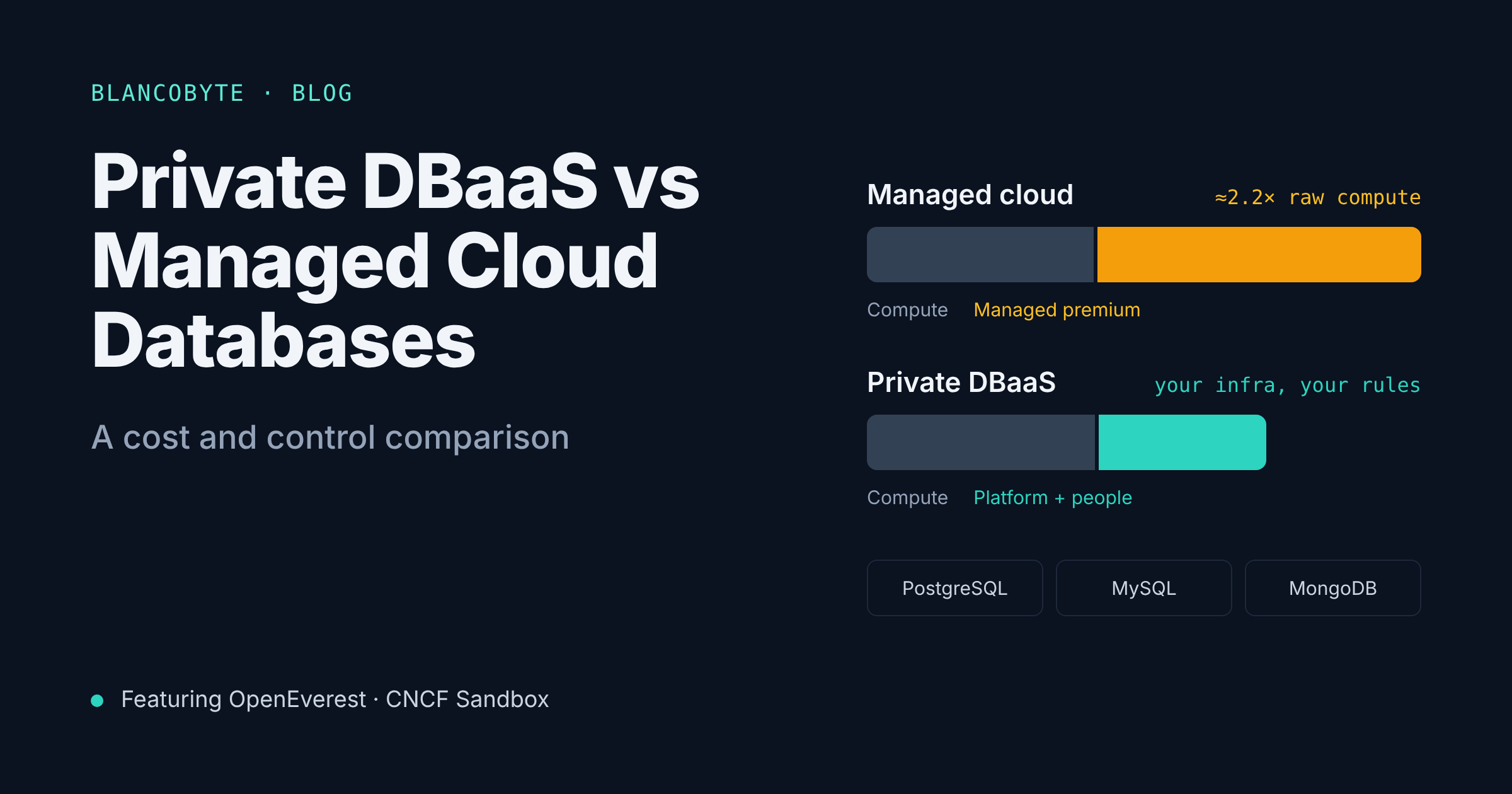
On this instance, the managed service costs roughly 2.2× the raw VM. That multiplier is what you pay for automation, HA orchestration, backups and patching. Reserved instances bring both numbers down (a 1-year reserved db.r6g.xlarge for PostgreSQL in us-east-1 is about $177/month), but savings plans also apply to plain EC2, so the ratio doesn't disappear.
In Europe the absolute numbers are a bit higher: the same RDS instance is about $401/month on demand in Frankfurt and $368/month in Ireland.
The private DBaaS bill
A private platform has a different shape:
| Line item | Notes |
|---|---|
| Kubernetes worker nodes | Raw compute. Databases can be bin-packed onto shared nodes instead of one VM per instance. |
| Kubernetes control plane | Small fixed cost on managed Kubernetes, or part of your existing clusters |
| Block storage | Raw volumes (EBS, PD, Ceph, local NVMe), without the managed-service markup |
| Backup storage | Object storage (S3, GCS, MinIO, any S3-compatible store) |
| Monitoring | Prometheus/Grafana or the platform's built-in monitoring |
| People | Platform engineers who own the DBaaS platform |
| Support subscription | Optional: a vendor or partner who backs you up when things go wrong |
The infrastructure part is almost always cheaper. The people part is where the real decision happens.
3. A worked example (and why it's not as simple as "self-hosting is cheaper")
Let's model a realistic mid-size fleet:
- 12 PostgreSQL clusters, each a primary plus one standby
- 4 vCPU / 32 GiB per instance, 500 GB of storage per instance
- Running 24/7 in us-east-1
These numbers are illustrative: list prices as of late 2026, rounded, without negotiated discounts. Plug in your own.
Scenario A: Amazon RDS, Multi-AZ
| On-demand | 1-year reserved | |
|---|---|---|
| Compute (24 instances) | 24 × $329 ≈ $7,900 | 24 × $177 ≈ $4,250 |
| Storage (gp3, 500 GB × 24) | ≈ $1,380 | ≈ $1,380 |
| Monthly total (before backups beyond free tier, IOPS, egress) | ≈ $9,300 | ≈ $5,600 |
Scenario B: private DBaaS on the same cloud (EKS + an open source platform)
| On-demand | |
|---|---|
Worker nodes: 24 × r6g.xlarge-equivalent capacity, +20% headroom | ≈ $4,250 |
| EKS control plane | ≈ $75 |
| EBS gp3 (500 GB × 24) | ≈ $960 |
| S3 backups (~12 TB with retention) | ≈ $280 |
| Monitoring stack | ≈ $200 |
| Monthly infrastructure total | ≈ $5,750 |
Look at that carefully: on the same hyperscaler, a private DBaaS on on-demand instances costs about the same as reserved RDS. Add EC2 savings plans and it gets cheaper again, but add even half a platform engineer and the savings are gone.
This is the honest result most "self-hosting saves 70%!" articles skip. If you move a modest fleet from RDS to Kubernetes on the same cloud and change nothing else, you mostly trade a vendor margin for salary.
Where private DBaaS actually wins on cost
The math changes when one or more of these is true:
- The fleet is large. Platform cost is mostly fixed: the team that runs 12 clusters can run 120. The managed-service premium, on the other hand, scales linearly with every instance. Somewhere between a few dozen and a few hundred database instances, the curves cross.
- You can bin-pack. Managed services sell you instance sizes. Many production databases are sized for peak and sit at 10–20% CPU. On Kubernetes, many small and medium databases share nodes, and dev/test/staging databases cost a fraction of a dedicated instance each.
- The infrastructure is cheaper. On dedicated servers, a private cloud or your own data center, raw compute and NVMe storage cost a fraction of hyperscaler prices. A single dedicated server with 32+ cores, 256 GB of RAM and local NVMe often rents for a few hundred dollars a month, which is the price of one mid-size managed instance. You can't run RDS there at all.
- Data transfer is a big line item. Egress and cross-AZ traffic disappear or shrink dramatically when the database runs next to the application, on infrastructure without per-GB transfer pricing.
- You're paying for old versions. RDS charges Extended Support per vCPU-hour for engine versions past community end-of-life, and for Multi-AZ the charge applies to both instances. On your own platform, an old version costs nothing extra (though you should still upgrade).
A simple break-even model
Managed monthly cost  ≈  N × (instance + storage + extras) × managed_premium
Private monthly cost  ≈  N × (raw infra per DB) + platform_team + support
The managed side grows with N. The private side has a large fixed term (platform_team + support) and a smaller per-database slope. Plot both for your own fleet and see where they cross. In our experience at BlancoByte:
| Fleet size | Typical outcome |
|---|---|
| < 10 production instances, no Kubernetes skills | Managed is almost always cheaper and simpler. Stay there. |
| 10–50 instances, already running Kubernetes | Roughly break-even on cost. Decide on control requirements. |
| 50+ instances, or many dev/test databases | Private DBaaS usually wins, often clearly. |
| Any size, with sovereignty or on-prem requirements | Private DBaaS may be the only option, so cost becomes secondary. |
4. Control: what you give up, and when it matters
Cost is a spreadsheet exercise. Control is harder to price, but it's often the real reason companies move.
Engine versions and extensions
A managed service supports a curated list of versions and extensions. That's fine until you need something outside it: a newer major version on day one, a niche PostgreSQL extension, a custom build, or a MySQL plugin the provider doesn't ship. On a private platform, the list is whatever you decide to run.
Superuser and OS access
Managed services don't give you a real superuser or access to the host. Most of the time you don't need it. When you do (debugging at the OS level, custom tooling, specific replication setups, tuning kernel parameters for a database workload), there is no workaround.
Upgrade timing
On a managed service, the provider's lifecycle sets the clock. Minor versions get auto-applied in maintenance windows, and major versions that reach end-of-life either get upgraded or start costing Extended Support fees. On your own platform, you set the clock: you can move faster than the provider, or stay on a version longer while you test, with your own risk trade-off.
Data residency and sovereignty
For European companies, this has gone from a nice-to-have to a board-level question. GDPR, sector rules in finance and healthcare, NIS2 and DORA, and public-sector requirements all ask some version of: where does this data live, who can access it, and under which jurisdiction?
A managed service limits you to the provider's regions and the provider's legal entity. A private DBaaS runs wherever you have a Kubernetes cluster: a sovereign cloud, a local provider, your own data center, or an air-gapped environment.
Portability and lock-in
Managed services each have their own APIs, Terraform resources, parameter groups and quirks. Moving from one cloud's managed PostgreSQL to another's is a migration project. A private DBaaS on Kubernetes gives you the same platform, the same API and the same runbooks on every cloud and on-prem. That makes multi-cloud and hybrid strategies realistic, and it gives you leverage in pricing negotiations even if you never move.
What you give up
To be fair, private DBaaS also means:
- You own the platform's availability. If the Kubernetes cluster or the storage layer has a bad day, that's your incident.
- You need Kubernetes skills. Running stateful workloads on Kubernetes is very doable in 2026, but it's not free knowledge.
- You need a support story. When a failover misbehaves at 3 a.m., "we'll check the GitHub issues" isn't a plan.
These are real costs. They're also exactly the costs a good platform and a good support partner are meant to absorb.
5. The middle path: open source private DBaaS platforms
The reason private DBaaS is a serious option today, and not just for companies with large platform teams, is that you no longer have to build the platform yourself.
Kubernetes operators for PostgreSQL, MySQL and MongoDB have matured a lot. On top of them, a new layer of platforms gives you the managed-service experience (self-service provisioning, backups, restores, scaling, monitoring) across several engines, through one API and one UI. Options in this space include KubeBlocks, KubeDB and StackGres (PostgreSQL-focused). The one we work with most is OpenEverest.
OpenEverest in a nutshell
OpenEverest started life as Percona Everest. In January 2026, Percona moved it into an independent, vendor-neutral open source project, and in March 2026 it was accepted into the CNCF as a Sandbox project.
What it does:
- One platform, several databases. It supports PostgreSQL, MySQL and MongoDB today, and is built so that more engines can be added over time.
- A database-independent API. OpenEverest exposes a REST API backed by a small set of Kubernetes custom resources:
DatabaseCluster,DatabaseClusterBackupandDatabaseClusterRestore. Under the hood it drives engine-specific operators, so you don't have to learn each operator's quirks. Creating a MySQL cluster and a PostgreSQL cluster looks the same. - Runs anywhere Kubernetes runs. Public cloud, private cloud, on-prem. That's the whole point: no single cloud provider to be tied to.
- The day-2 features you expect from a DBaaS. High availability, horizontal and vertical scaling, storage class selection, backups and disaster recovery, configuration tuning, and access control.
- A plugin-based core, so the platform can be extended instead of forked.
- 100% open source, Apache 2.0.
Conceptually, a request looks like this:
apiVersion: everest.percona.com/v1alpha1
kind: DatabaseCluster
metadata:
  name: orders-db
spec:
  engine:
    type: postgresql
    replicas: 3
    resources:
      cpu: "4"
      memory: 32G
    storage:
      size: 500Gi
  backup:
    schedules:
      - name: nightly
        schedule: "0 2 * * *"
(Simplified for illustration; see the OpenEverest docs for the current schema.)
You get the same request/response experience as a managed service, but the cluster runs on your nodes, with your storage, in your region, and the bill is your infrastructure.
Solanica: the company behind the project
When Percona spun out OpenEverest, it also launched Solanica, a company dedicated to developing OpenEverest and growing its community. Solanica is led by OpenEverest maintainer Sergey Pronin and its focus is to keep the core platform open and community-led, while building complementary software and coordinating the partner ecosystem that helps organizations adopt it at scale.
That combination matters for anyone evaluating a private DBaaS platform: an open governance model under the CNCF means no single vendor can take the project in a direction that doesn't serve its users, and a dedicated company plus certified partners means you can get commercial support when you need it.
6. How BlancoByte can help
BlancoByte is a Solanica partner and provides support and services for OpenEverest. In practice, that means we can help at every stage of the decision:
- Cost and control assessment. We model your current managed-database spend line by line (compute, storage, IOPS, backups, egress, extended support) against a private DBaaS on the infrastructure of your choice, and tell you honestly if staying managed is the better answer.
- Platform design and rollout. Kubernetes and storage design for stateful workloads, OpenEverest installation, backup targets, monitoring, RBAC and multi-cluster layouts across clouds or on-prem.
- Migration. Moving PostgreSQL, MySQL and MongoDB from RDS, Cloud SQL, Azure or Atlas with minimal downtime, including cutover planning and rollback paths.
- Ongoing support. Production support for your OpenEverest platform and the databases on it, backed by our partnership with Solanica and the OpenEverest maintainers.
- Database expertise beyond the platform. Query and schema tuning, upgrades, and analytics platforms like ClickHouse and StarRocks (see our Bloom filter series and our StarRocks vs ClickHouse comparison).
If you're looking at a growing database bill, a data residency requirement, or a multi-cloud strategy, get in touch. We're happy to start with a free, no-commitment review of your current setup.
7. Decision guide
| Your situation | Lean toward | Why |
|---|---|---|
| A handful of databases, no Kubernetes in-house | Managed | The premium is smaller than the cost of a platform team |
| Spiky or experimental workloads | Managed | Pay-as-you-go elasticity, nothing to maintain |
| Already running Kubernetes, 10–50 databases | Either | Cost is close; decide on control, residency and portability |
| 50+ databases, or lots of dev/test/staging databases | Private DBaaS | Fixed platform cost spread over many databases; bin-packing |
| Data must stay in a specific country, provider or data center | Private DBaaS | Runs wherever your Kubernetes runs |
| Multi-cloud or hybrid strategy | Private DBaaS | One platform and one API everywhere |
| Need specific versions, extensions or superuser access | Private DBaaS | You choose what runs |
| Running on dedicated servers or your own data center | Private DBaaS | Managed services aren't available there; raw infrastructure is cheap |
| No appetite for owning any platform, at any price | Managed | That's exactly what you're paying for |
Questions to ask before you decide
- How many database instances do we run today, and how many in two years? Include dev, test and staging.
- What does our managed bill look like line by line, not just the instance cost?
- Do we already run Kubernetes in production, and do we have people who are comfortable with stateful workloads on it?
- Do we have data residency, sovereignty or compliance requirements that a managed service makes hard?
- How important is it to be able to move between clouds, or between cloud and on-prem?
- Who will we call when the platform misbehaves?
TL;DR
- Managed cloud databases remove infrastructure work, not database work. You pay for that with a premium of roughly 2× raw compute on common instance types, plus storage, IOPS, backups, egress and extended support.
- Private DBaaS on the same hyperscaler isn't automatically cheaper. For a modest fleet it's roughly break-even with reserved managed instances once you count people.
- Private DBaaS wins on cost with large fleets, bin-packing, cheaper infrastructure (dedicated servers, private cloud, on-prem) and heavy data transfer.
- Private DBaaS wins on control: versions, extensions, superuser access, upgrade timing, data residency and portability across clouds.
- You don't have to build it yourself. Open source platforms like OpenEverest (CNCF Sandbox, Apache 2.0, PostgreSQL/MySQL/MongoDB) give you the managed-service experience on your own infrastructure.
- BlancoByte, as a Solanica partner, helps you assess, deploy, migrate to and support OpenEverest, and will tell you when staying managed is the better call.
References
Managed database pricing
- Amazon RDS for PostgreSQL pricing
- AWS docs: On-Demand DB instances and Multi-AZ billing
- Bytebase RDS price tracker: db.r6g.xlarge
- AWS re:Post: RDS Extended Support charges for Multi-AZ
OpenEverest and Solanica
- OpenEverest website
- OpenEverest documentation
- CNCF: OpenEverest project page
- Percona: Introducing OpenEverest
- The New Stack: OpenEverest, a tool to manage multiple databases on Kubernetes
- InfoQ: OpenEverest, open source platform for database automation
- LinuxInsider: Percona spins off Everest DBaaS into OpenEverest project
- Solanica
From this blog